Add AI to your product.
A support chatbot, instant answers, translation, summaries and more. Tell your team what you want and they add it. No AI accounts, no keys, nothing to set up.
The short answer. Products built with equipe can use AI without an AI account or an API key. Tell your equipe team what you want, such as a chatbot that answers questions about your prices, and the team adds it from 11 ready-made features. Usage is paid from your equipe credits at the AI provider’s list price plus 10%, and every product has a monthly AI limit ($10 unless you change it), so a busy chatbot can’t drain your credits.
11 ready-made AI features
Your team picks the ones that fit your product and fills them with your own facts: your prices, hours, catalog and policies.
On your site
For your visitors.
A support chatbot
Answers visitors’ questions about what you offer, prices, hours and policies, day and night, in their language.
Instant FAQ answers
Visitors type a question and get the best answer from your own FAQ in two or three sentences, with the question it came from.
Site translation
Turns your page into the visitor’s language and keeps names, prices and links as they are.
Smart form fill
People paste an email or a note and the form fills itself. It never guesses an email address or a phone number.
Recommendations
Visitors say what they need and get up to three of your own products or services, each with a line on why it fits.
In your admin
For you and your staff.
Review and booking summaries
Turns a long list of reviews or bookings into the overall mood, what people praise, what they complain about and one suggestion.
Product descriptions
Write a few notes and get a clear, honest description with the key facts. No made-up claims or prices.
Reply drafts
A first draft of your answer to a customer, in their language, with a [note] wherever you need to check something.
Images for your posts
Describe a picture for a post or your blog and get a clean, well-lit image. Only for people signed in to your admin.
Behind the scenes
Work your product does on its own.
Inquiry triage
Each new inquiry is marked hot, warm or cold, with the reason and the best next step, so you answer the right ones first.
Comment and review checks
Checks what people post before it appears: fine, needs a look, or blocked, with a few words on why.
Small drawings of each feature, not screenshots.
Tell your team. It’s added.
You writeAdd a chatbot that answers questions about my packages.
You ask in your own words
In your team chat. Nobody asks you about keys, providers or models.
Your team turns AI on
Your product gets its own private key, kept on its server. It never reaches a visitor’s browser.
They write what it knows
Your prices, hours and policies go into the assistant’s instructions, which stay on equipe’s side.
They add it, test it and show you
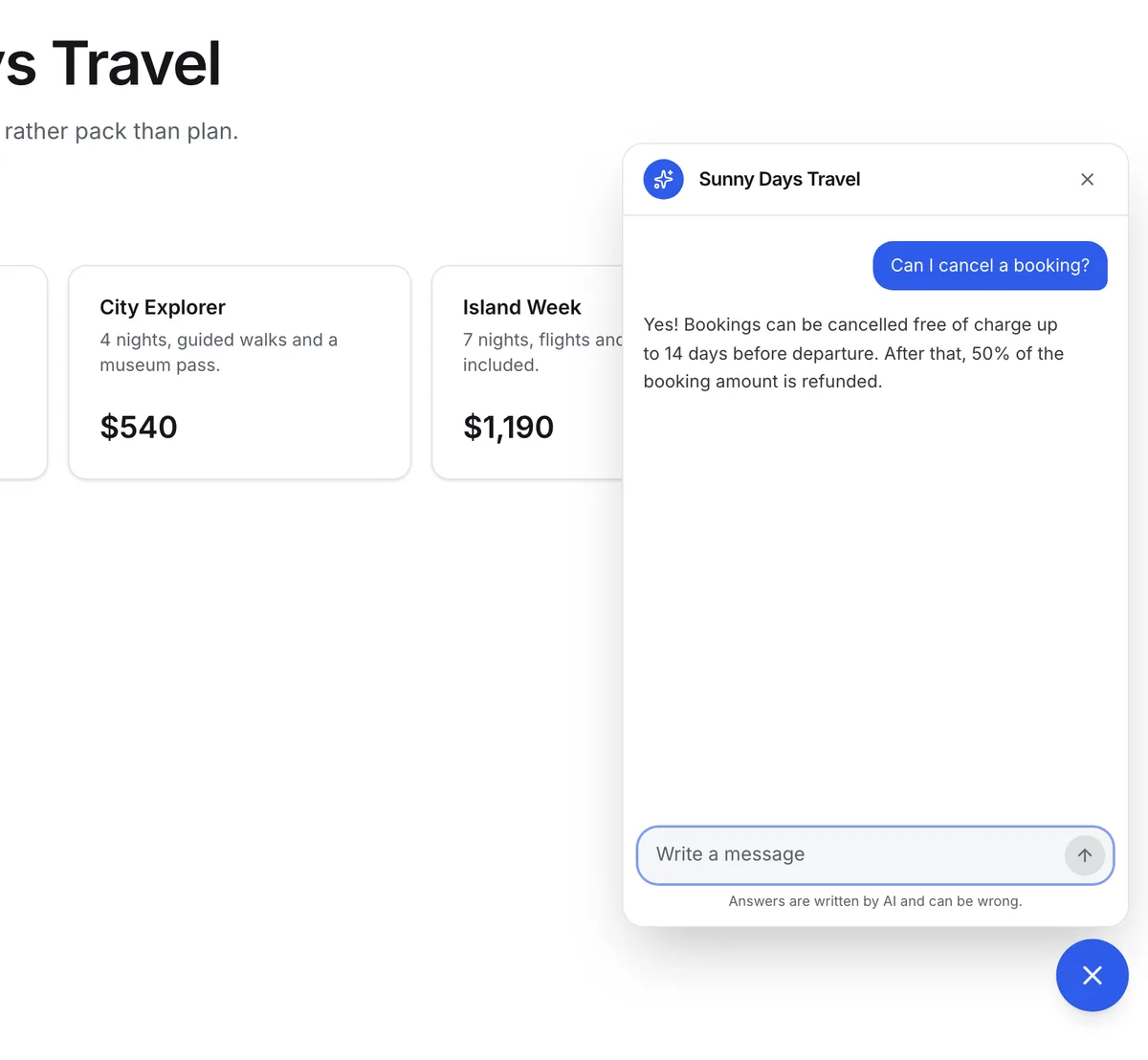
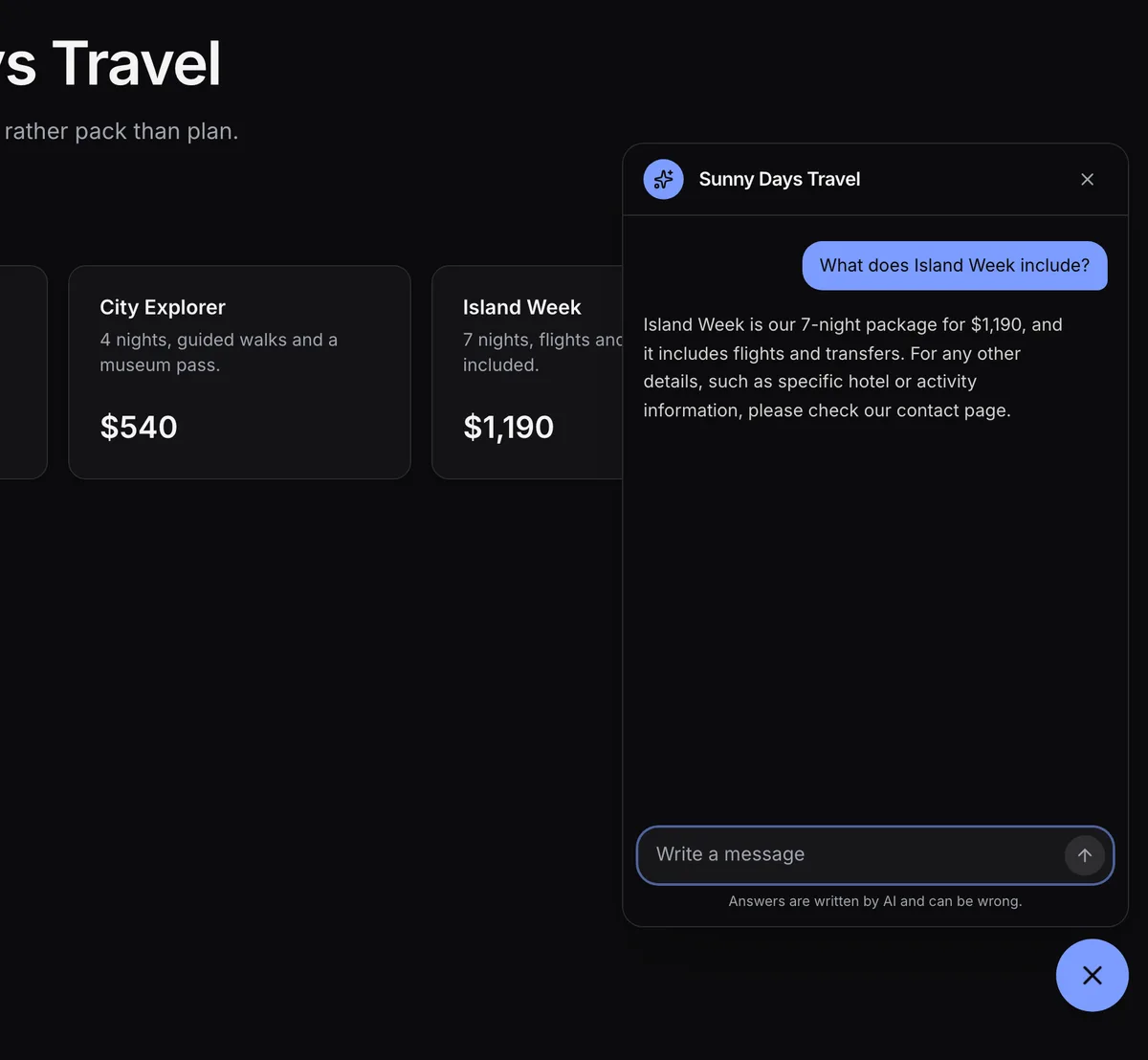
In your product’s look, light and dark, in your visitors’ language. Replies appear as they are written.
Your team may also suggest a feature when your pages show a reason for one, at most once a week.
What it costs
Your visitors’ usage is paid from your equipe credits as it happens. There’s no separate subscription for AI.
Provider price + 10%
Each request costs the AI provider’s list price plus a 10% fee. A short chat answer usually costs a small fraction of a cent.
A monthly limit you control
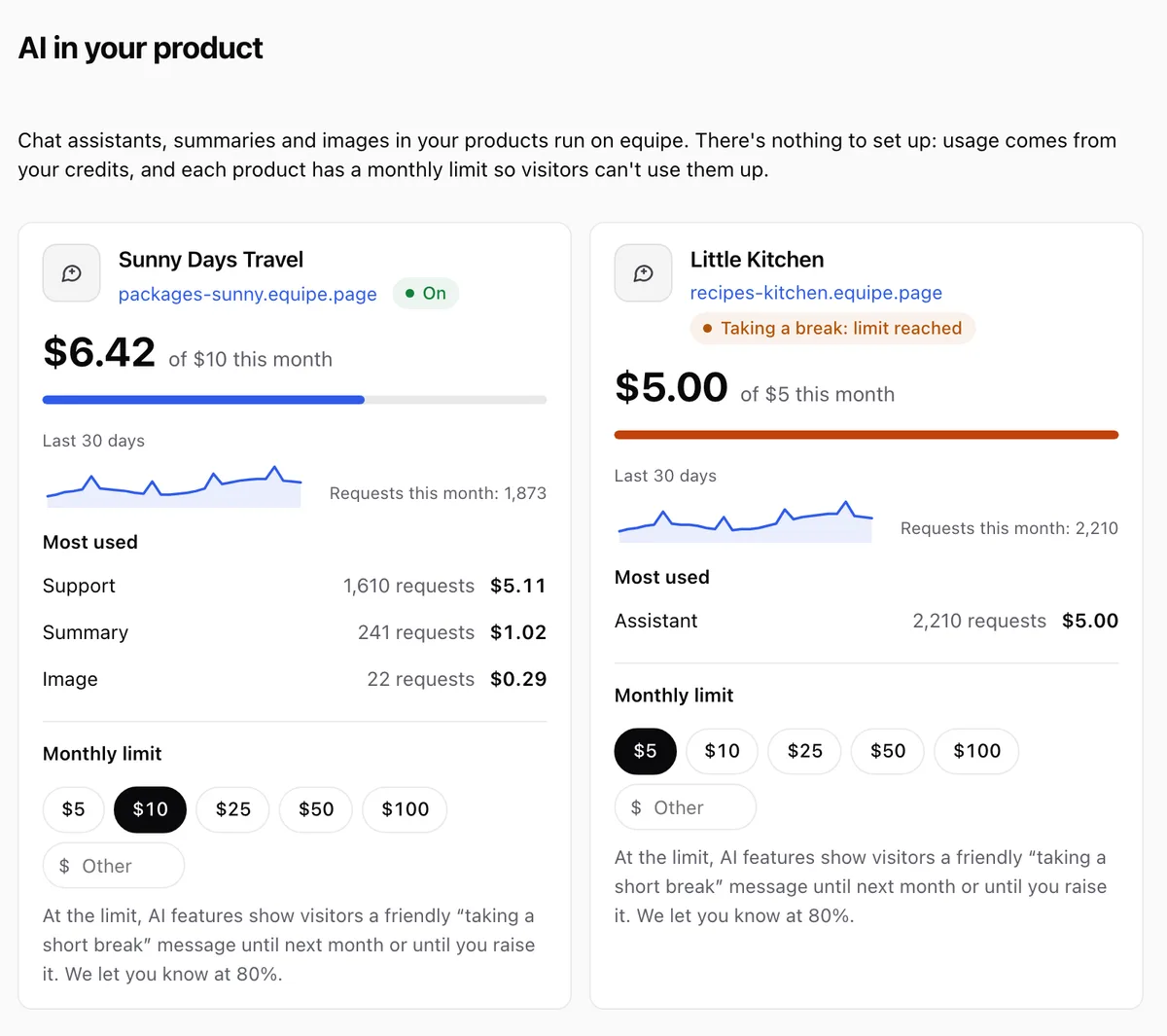
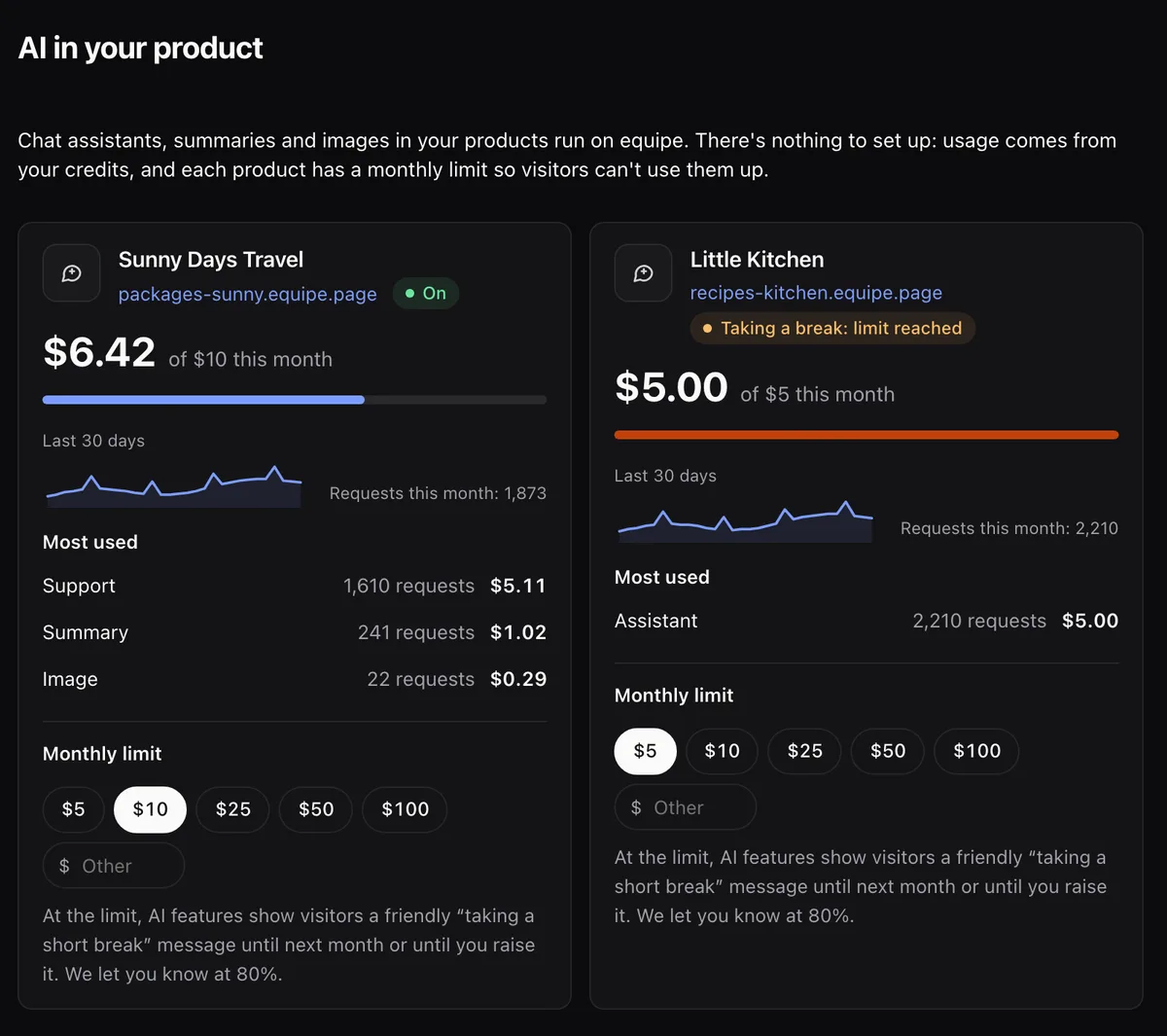
Every product has its own monthly AI limit, $10 unless you change it. You get a note at 80%. At the limit, AI features tell visitors they’re taking a short break until next month or until you raise it.
One place to look
Product › AI shows each feature with a small live demo and a rough monthly cost, then what each product spent, a 30-day trend and the most used features.
Your team picks the model for each job automatically: a fast, inexpensive one for chat and short summaries, and a stronger one only when the job needs it.
Safe by design
Your visitors use the AI and your team pays, so the protection is built in, not bolted on.
A private key per product
Each product gets its own key on its server. equipe keeps only a fingerprint of it (a hash), and it can be replaced at any time.
Never in the browser
The key works only from your product’s server. Calls made straight from a browser are refused.
Limits per visitor
Limits per product, per signed-in user and per visitor keep one person, or one script, from flooding your chatbot.
A monthly cap
Each product pauses at its monthly limit. Your team’s own monthly cap and credit balance apply too.
Instructions stay private
What the assistant knows and how it answers stays on equipe’s side. Visitors can’t read or replace it, and every chat carries a safety instruction against attempts to override it.
Nothing typed is stored
equipe doesn’t store what visitors type or what the AI answers, only counts and costs. The AI provider receives each message to answer it, and your privacy policy says so in 8 languages.
Not available yet
We only list what works today. These come next:
- Voice to text
- A ready-made part for reading photos (server code can do it today)
- Search by meaning across a whole site (server code has the building blocks today)
For developers
It’s an OpenAI-compatible API at ai.equipe.im/v1: chat with streaming, embeddings and images, with the tiers fast, smart and best. Your product’s server already has its key.
curl https://ai.equipe.im/v1/chat/completions \
  -H "Authorization: Bearer $EQUIPE_AI_KEY" \
-d '{"model": "fast", "messages": [...]}'Questions
Do I need an OpenAI, Anthropic or Google account?
No. equipe provides the AI models. Your team turns AI on for your product and the cost comes out of your equipe credits. You never sign up anywhere or copy a key.
Do I need to know how to code?
No. You ask your team in plain words, like “add a chatbot that answers questions about my menu.” The team adds a ready-made feature, fills in what it should know, tests it and shows you.
How much does an AI chatbot cost on equipe?
The AI provider’s list price plus 10%, taken from your credits as visitors use it. A short chat answer usually costs a small fraction of a cent, and each product has a monthly AI limit ($10 by default) that you can change.
Can a busy chatbot use up all my credits?
No. Every product has a monthly AI limit. You get a note at 80%, and at the limit AI features pause with a friendly message until next month or until you raise it. Limits per visitor keep one person from flooding it.
Do you keep what my visitors type?
No. equipe does not store prompts or answers, only the number of requests and their cost. The AI provider receives each message to answer it. Your product’s privacy policy, which equipe writes for you, says so in 8 languages.
Can the chatbot get things wrong?
Yes, any AI can. The assistant is told to answer only from the facts your team gives it and to say when it isn’t sure, and the chat tells visitors that answers are written by AI and can be wrong.
Which AI model does it use?
Your team picks automatically: a fast, inexpensive model for chat and short summaries, and a stronger one when the job needs it. The choice can change as models improve.
I’m a developer. Can I call it myself?
Yes. It is an OpenAI-compatible API at ai.equipe.im/v1 with tiers called fast, smart and best. Your product’s server already has its key. The reference is at ai.equipe.im/docs.
Tell your team what you’d like AI to do.
That’s the whole setup. New teams start with free credit, no card needed.