You do not need to know how to code to launch a real product in 2026. AI tools can now write, test and run the code for a small product. What they cannot do for you is decide what is worth building, who it is for, and what you are willing to put in front of customers.
This guide walks through the whole path, in plain words: what “real” means, the four ways people get there, and the unglamorous parts (hosting, a database, a domain) that stop most first launches. It is written by the team that builds equipe, so we say where we fit and where we do not.
The short answer. Pick one person with one problem. Build the smallest version that solves it. Put it on its own web address with a real database. Watch what people do. Change one thing a week. Anything beyond that is optional.
What “a real product” means
A demo works while you are watching. A real product keeps working while you are asleep. Before you call something launched, check that it has these six things:
- Its own address. A web address people can visit and share, ideally on your own domain.
- Somewhere to keep data. Sign-ups, orders, bookings and settings are stored in a database, not in someone’s browser tab.
- A way to sign in, if people have accounts. Done properly, with no passwords stored where they should not be.
- Secrets kept secret. Payment keys and email keys live in a safe place, never pasted into the code.
- A way to see what happens. At the least: visits, sign-ups and the step where people give up.
- A way to change it safely. You can fix a bug on Tuesday without breaking the product on Wednesday.
Most things built in a chat window have the first idea of a product (a screen that looks right) and none of the other five. That gap, not the code, is why so many first projects stall. If you built something in Claude, our guide to turning a Claude artifact into a live app covers that exact gap.
Step 1: decide who it is for and what would prove it works
Write three sentences before you build anything.
- Who: “Solo yoga teachers who take bookings by text message.”
- Problem: “They lose bookings because they answer late and forget who asked for which slot.”
- Proof: “Ten teachers use a booking page for two weeks and at least five say they would pay for it.”
This is not paperwork. It is the instruction you will give your AI tool, and it is how you will know, later, whether the product works. Products without a proof statement tend to grow features instead of customers.
Step 2: choose your route
There are four realistic routes for a non-coder. None is wrong; they trade money, time and control differently.
| Route | What you do | Good at | Watch out for |
|---|---|---|---|
| Chat tool (for example a Claude artifact) | Describe it in a chat and get a working page | Exploring an idea in minutes, for free or nearly | It is a sketch: no hosting, database or domain of its own |
| AI app builder | Prompt a builder that generates, hosts and publishes an app | A fast first version with a built-in backend | You steer prompt by prompt; what to build next and keeping it running stay with you |
| Freelancer or agency | Hire a person to build it | Custom work and judgment | Cost and speed; changes are billed one by one |
| AI startup team | Describe the idea to a team of AI roles that also launches and maintains it | The part after the first version | Newer category; you must be comfortable approving decisions |
If you only want to test whether people react to an idea, a chat tool or a builder is enough. If you want something customers use for months, the question to ask any route is: who keeps it running, and who tells me what to improve next? For a fair side-by-side of the popular builders, see equipe vs Lovable vs Bolt vs Base44.
Step 3: build the smallest version
Choose the one flow that proves your idea and build only that. For the yoga example, that is: a teacher shares a link, a student picks a slot, both get a confirmation. No payments, no reviews, no admin dashboard yet.
Tips that work with any AI tool:
- Describe the user, not the screens. “A student on a phone picks a time in under 30 seconds” gives the AI more to work with than “a calendar page”.
- Ask for the edge cases. What happens when two people pick the same slot? When the email fails? A good PM, human or AI, asks these before building.
- Look at it on a phone. Most of your first visitors will.
- Keep a list of “not now”. Every feature you postpone is a week you did not lose.
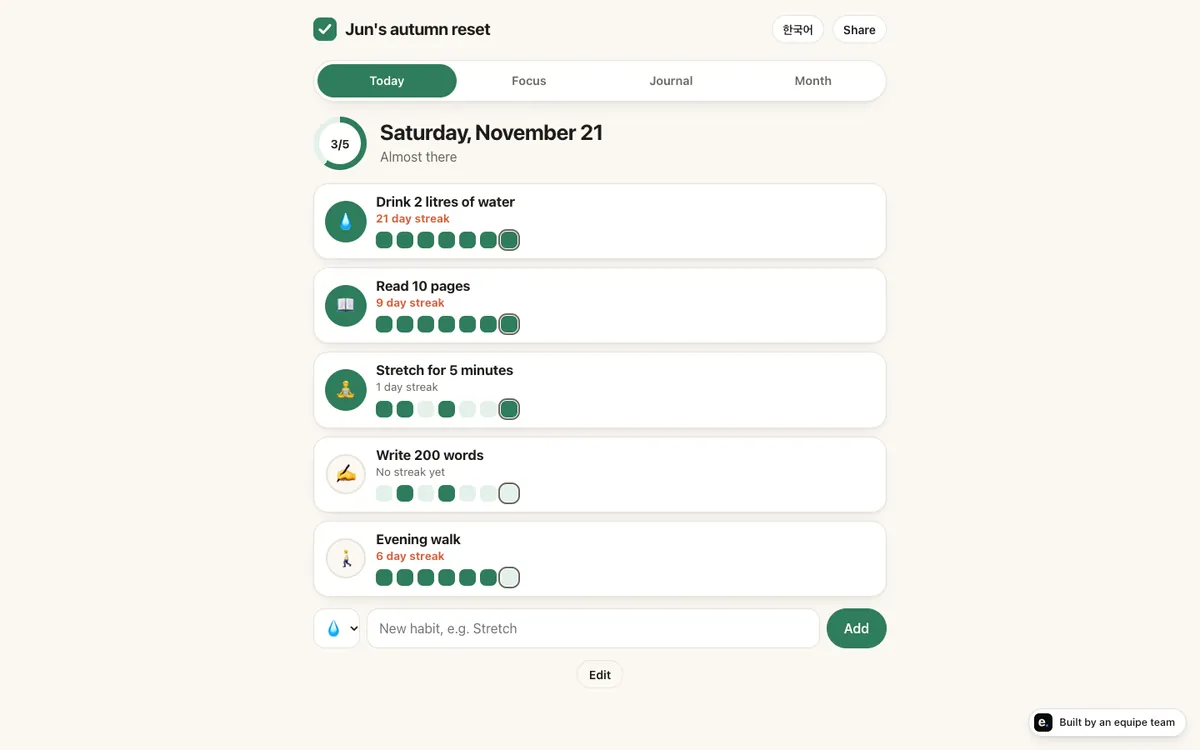
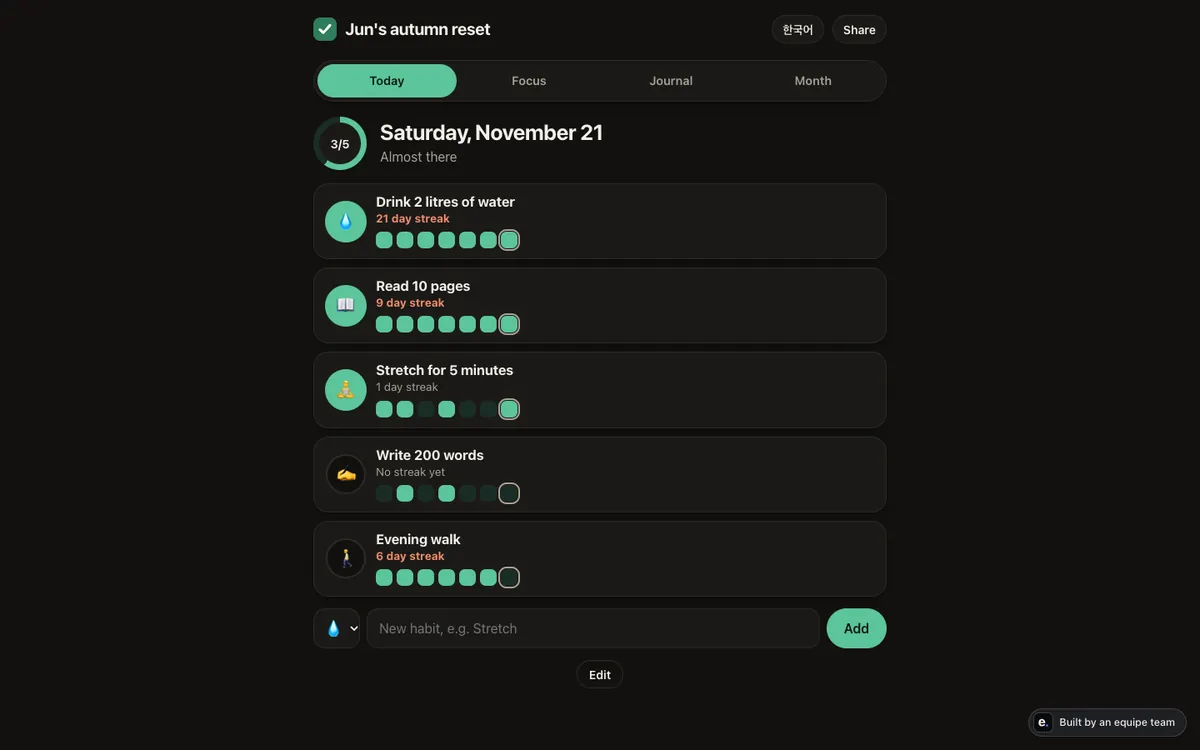
Five example products on equipe.im show how small a useful first version can be: a habit tracker, a bilingual waitlist page, a booking page for a tutor, a newsletter and a small shop. They are examples with made-up businesses on real, live sites, each built by an equipe team in roughly 35 to 45 minutes.
Step 4: put it live (the part nobody shows you)
Turning a working page into a live product means four pieces of plumbing. None is hard for an engineer; all are confusing the first time.
- Hosting is the computer that serves your product to visitors 24 hours a day. Your laptop does not count.
- A database is where your data lives so it survives refreshes, restarts and updates.
- A domain is your name on the internet, such as
yourstudio.com. It needs to be bought, pointed at your hosting and given a security certificate. - Secrets are the keys that let your product send email or take payments. They must never appear in the code or in a chat.
Then add the quiet requirements: a way to receive error reports, a way to roll back a bad change, and a privacy page if you collect personal data.
This is the section where the routes differ most. With a chat tool, you do all of it. With a builder, much of it is built in, though you still choose plans, domains and publishing settings. With equipe, the team sets up hosting, a database and the domain for you, and you approve anything that goes live or costs money.
Step 5: watch what people actually do
The first launch is a question, not an answer. Collect three numbers:
- Visits: how many people arrived.
- Activation: how many did the one thing your product exists for (booked a slot, made a first habit).
- Return: how many came back within a week.
Privacy-friendly analytics are enough: counts, not people. If visits are high and activation is low, your message or your first screen is wrong. If activation is high and return is low, the product is not yet useful enough to come back to.
Step 6: improve one thing a week
Pick the single biggest drop-off, change one thing, and measure again. This loop (build, measure, learn) is the whole advantage of a small product. We wrote a separate guide to running it with an AI team.
If you are heading toward paying customers, the 30-day plan for solo founders puts this into a calendar.
Where non-coders usually get stuck
- The infinite first version. Keep adding features instead of showing it to anyone. Fix: a launch date, and the proof sentence from step 1.
- Hosting and domains. Hours lost to settings that look the same but are not. Fix: choose a route where someone else owns this part.
- Secrets pasted into a chat. A payment key in a prompt is a payment key leaked. Fix: use a tool with a separate secret store.
- No measurement. You cannot tell whether a change helped. Fix: install analytics before you invite anyone.
- Fear of breaking it. Without a way to preview and roll back, every change feels risky. Fix: always work on a preview first.
Where equipe fits
equipe is an AI startup team for people who cannot code. A PM turns your idea into a plan, engineers build it, a designer makes it clear on phones and laptops, QA tries it the way customers would, and a data analyst reads how people use it. Anything that goes live, costs money or reaches your customers waits for your approval. You work in a browser at app.equipe.im; there is nothing to install.
What is honest to say about today: the team already builds and ships real products (this website and the equipe apps were built by equipe teams). One-step import from Claude with a database and a domain, and weekly usage reports with proposals, are not shipped yet. Until import ships, you share the code or describe it and the team moves it for you.
You can start free: $5 of credit when you create your team, including up to 2 hours of team time, and no card is needed. The pricing page has the full numbers, and the security page explains what the team can and cannot do on its own.
A pre-launch checklist
- One person, one problem, one proof sentence written down
- The smallest flow works end to end on a phone
- The product lives on its own address, ideally your own domain
- Data is stored in a real database
- Keys and passwords are in a secret store, not in the code
- Analytics count visits, the key action and returns
- You know how to roll back a bad change
- Five real people have been invited, by you, personally
Launching is the beginning of the work, not the end. The products that become businesses are the ones whose owners keep changing them every week.