Build3 min read
Add AI to your product, no API keys needed
How an equipe team adds a chat assistant, summaries or image generation to the product it builds: no AI accounts, no keys, paid from your credits with a monthly limit you set.
Published
A chatbot that answers questions about your packages. A button that turns a long review into two lines. A picture made from a description. These are some of the most useful things a small product can add, and until now each one started the same way: make an account with an AI company, find the API key page, paste a secret somewhere safe, and hope nobody runs up the bill.
On equipe you skip all of that.
The short answer. Tell your team what you want, in your own words. They add the AI feature to your product with a ready-made chat widget, and the usage comes out of your equipe credits at the provider's price plus 10%. Every product has a monthly limit, so a busy public chatbot can never drain your credits.
What you say, what happens
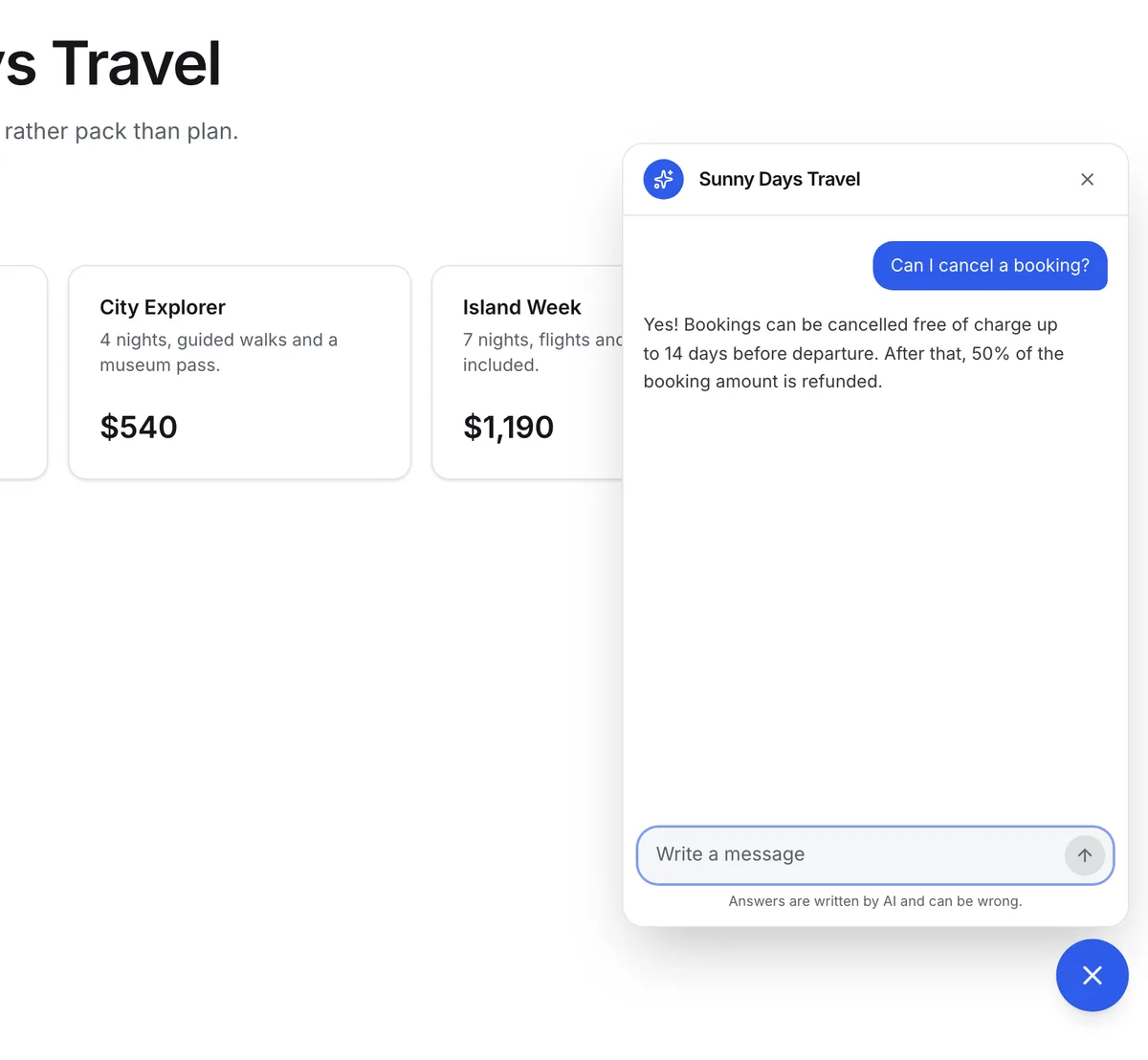
You write something like “add a chatbot that answers questions about my packages.”
- Your team turns AI on for the product. No questions about keys, providers or models. The product’s server gets its own key, which never reaches a visitor’s browser.
- They write the assistant’s instructions. What it knows (your packages, prices, opening hours, policies) and how it answers. Those instructions stay on equipe’s side, so a visitor can’t read them or talk the assistant into ignoring them.
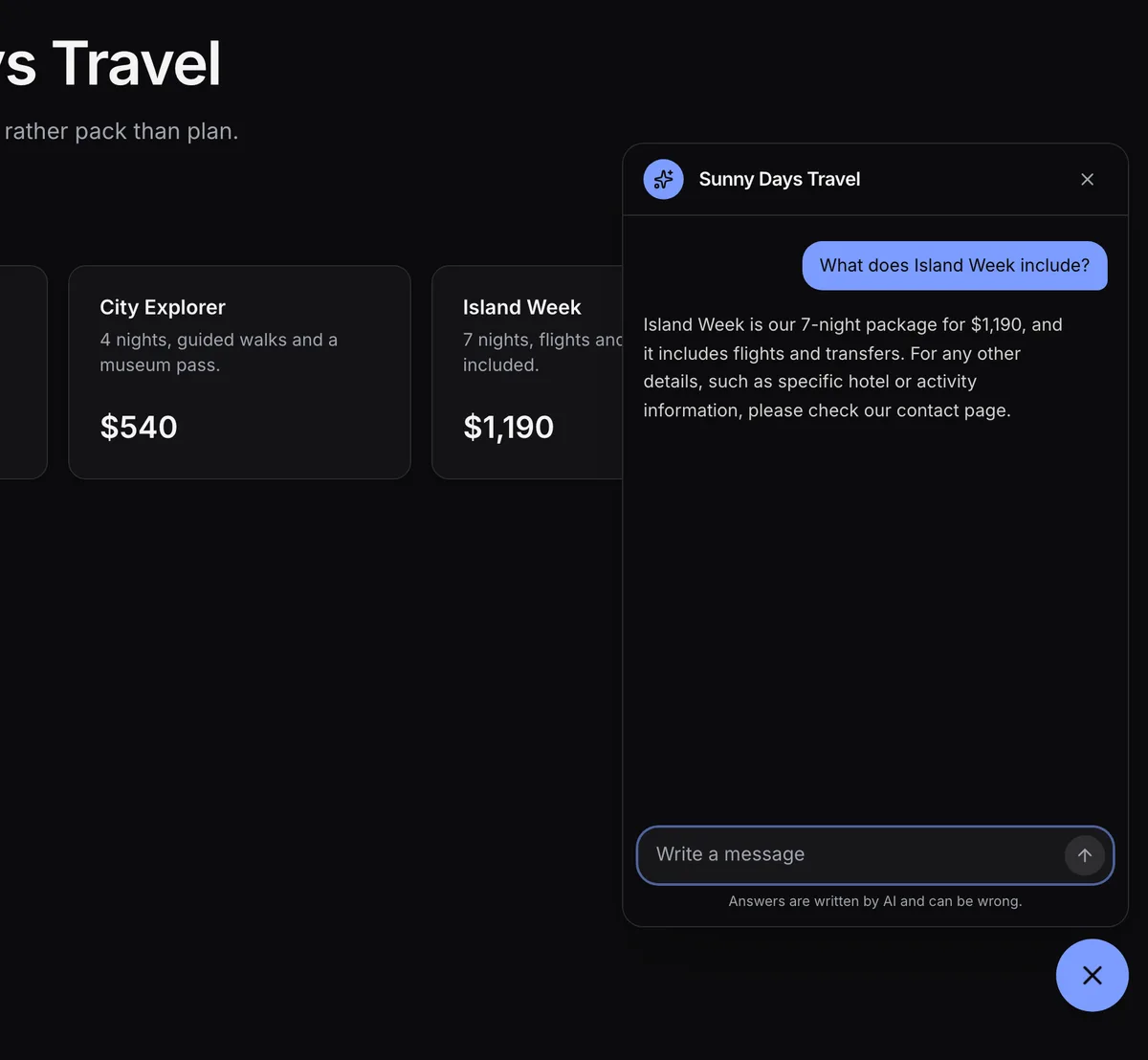
- They add the chat to your pages. A floating chat button, or a full page for it, in your product’s look, light and dark, in your visitors’ language. Replies appear as they are written.
- They test it with real questions and show you.
What you can add
Besides a chatbot, there are ready-made features your team can add the same way, each filled with your own facts:
- On your site: a support chatbot, instant answers from your FAQ, page translation, a form that fills itself from a pasted email, and recommendations from your own catalog.
- In your admin: summaries of reviews or bookings, product descriptions from a few notes, reply drafts for customer messages, and images for your posts.
- Behind the scenes: sorting new inquiries into hot, warm and cold, and checking comments or reviews before they appear.
Each one is shown with a small drawing on the AI features page. Voice to text isn’t available yet.
Your money stays in your hands
Your product’s visitors use the AI and your team pays, so the protection is built in rather than bolted on:
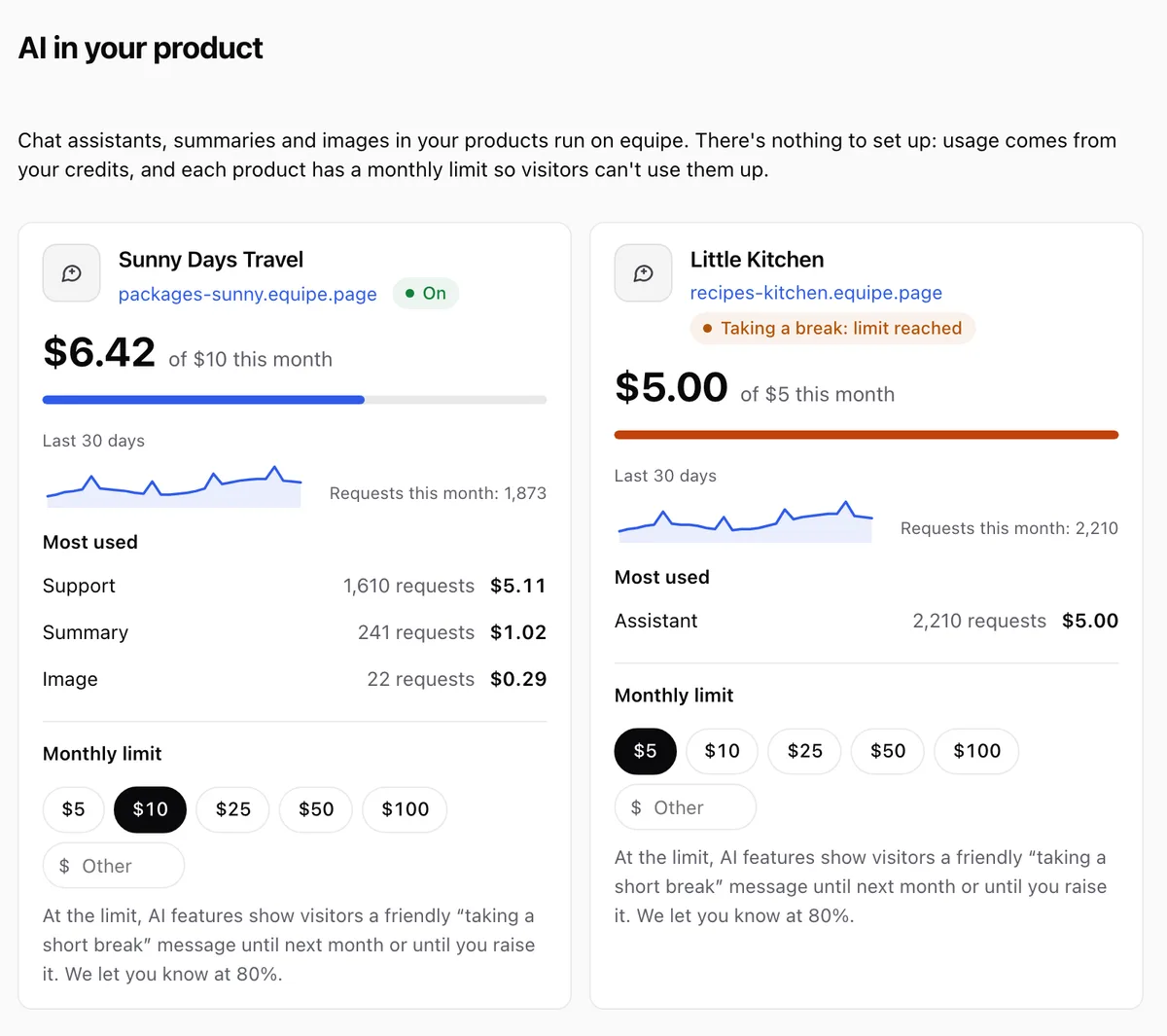
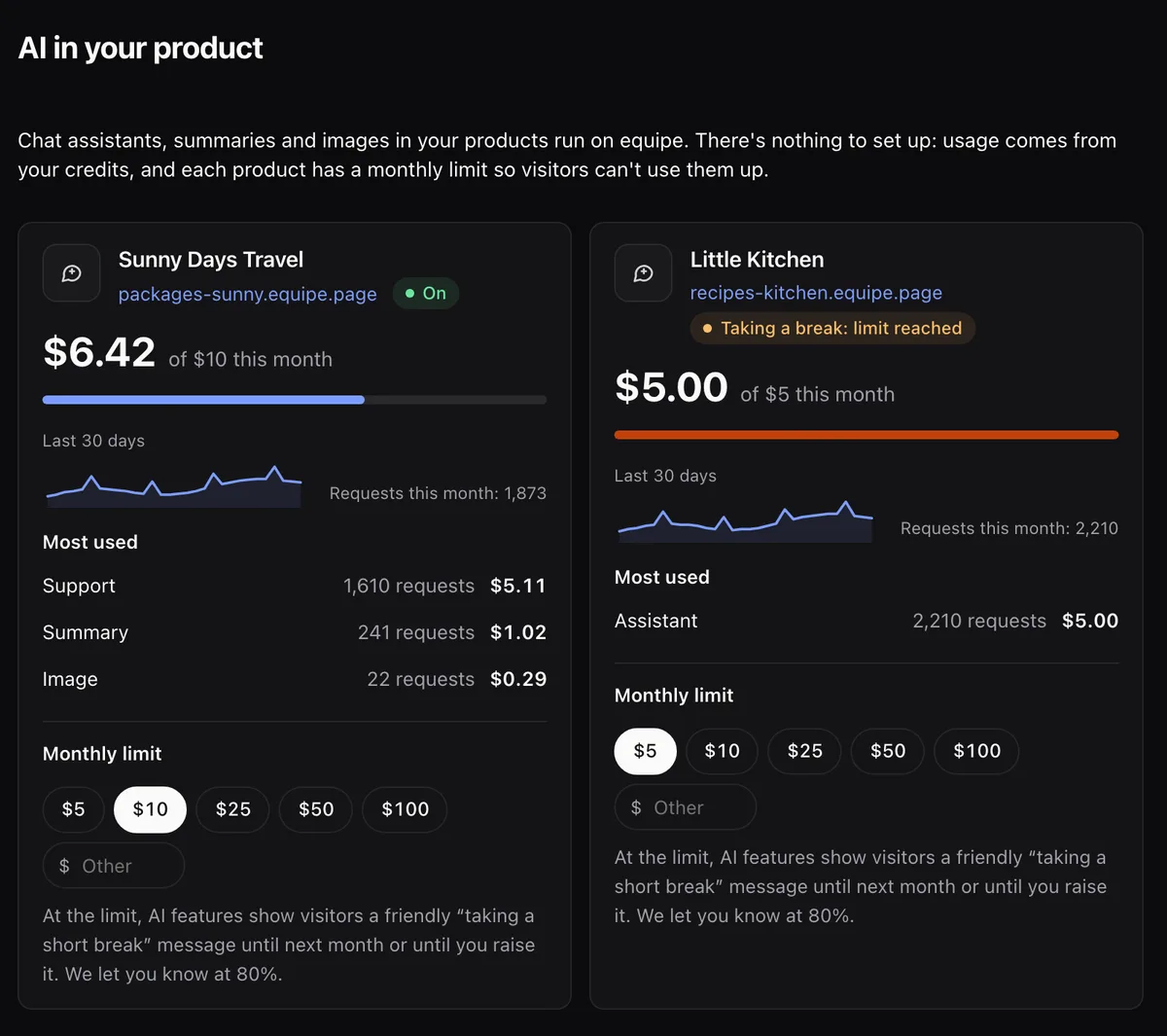
- A monthly limit per product. $10 unless you change it, in Product › AI in your product. You get a note in your team’s chat at 80%.
- A calm stop. At the limit, the chatbot tells visitors it is taking a short break. Nothing breaks, and raising the limit turns it back on within seconds.
- Limits per visitor. One person, or one script, can’t send hundreds of messages a minute.
- One place to look. The AI panel shows what each product spent this month against its limit, a 30-day trend, how many requests came in and which features are used most. In plain words, no model names.
What it costs
The AI provider’s list price plus 10%. Your team picks the model for each job automatically: a fast, inexpensive one for chat and short summaries, a stronger one only when the question needs it. A typical short chat answer costs a small fraction of a cent.
Privacy
equipe doesn’t store what your visitors type or what the AI answers, only how many requests there were and what they cost. The AI provider receives each message to answer it. The privacy policy and terms equipe writes for your product add a short section about AI, in 8 languages, as soon as you turn it on.
For developers
It is an OpenAI-compatible API at https://ai.equipe.im/v1: chat completions with streaming, embeddings and image generation. Use the tiers fast, smart and best, or an exact model id from /v1/models. Your product’s server already has the key as EQUIPE_AI_KEY, and inside an equipe product there’s a helper: env.EQUIPE_AI.ask("…"). The full reference is at ai.equipe.im/docs.
Try it
Open your team and say what you’d like the AI to do. That’s the whole setup.
Frequently asked questions
Do I need an OpenAI, Anthropic or Google account?
No. equipe provides the AI models. Your team turns AI on for your product and the cost comes out of your equipe credits. You never sign up anywhere or copy a key.
How much does it cost?
The AI provider's list price plus 10%, taken from your credits as your visitors use it. A short chat answer on the default tier costs a small fraction of a cent.
Can a busy chatbot use up all my credits?
No. Every product has a monthly AI limit, $10 unless you change it. You get a note at 80%. At the limit, the chatbot tells visitors it is taking a short break until next month or until you raise the limit. There are also limits per visitor, so one person cannot flood it.
Do you keep what my visitors type?
No. equipe does not store prompts or answers, only the number of requests and their cost. The AI provider receives each message to answer it. Your product's privacy policy, which equipe writes for you, says so in 8 languages.
I'm a developer. Can I call it myself?
Yes. It is an OpenAI-compatible API at ai.equipe.im/v1 with tiers called fast, smart and best, or exact model ids. Your product's server already has its key.
Got an idea? Tell the PM.
Your AI startup team builds, launches and keeps improving it. You approve what goes live. You do not need to know how to code.
Keep reading
All articlesBuild · 5 min read
How to add an AI chatbot to your website without coding
A plain guide to adding an AI chatbot to your website without code: what it should know, where it goes, how to keep costs and keys safe, and how to test it.
The equipe teamBuild · 5 min read
AI features small businesses can add to their site in 2026
Eleven practical AI features for a small business website in 2026: what each one does, when it is worth adding, what to watch out for, and how to keep the cost in check.
The equipe teamSafety · 7 min read
Approval cards: how you stay in control of an AI team
What an approval card is, what is on it, how to read one before you tap, what Allow once, Always, Deny and Reply mean, and how to avoid approval fatigue.
The equipe team